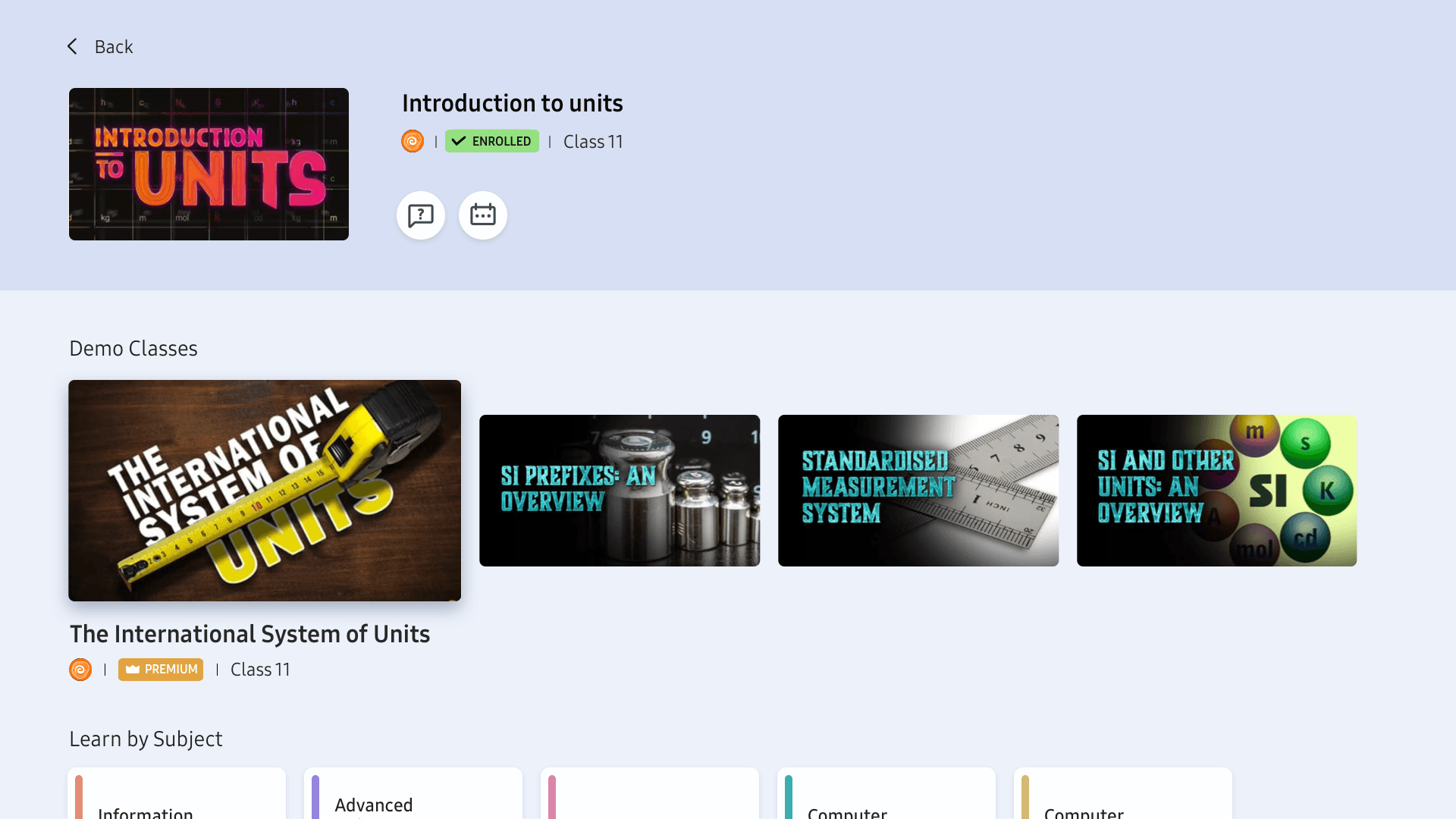
Samsung Education Hub
Education Hub is a content aggregator platform for e-learning content for students for all ages on Samsung Smart TVs. It provides improved online learning by enabling access to additional resources and a more cohesive experience.

TEAM
2 Product Designers | 2 Illustrator |
1 Project manager | Team of Developers
DURATION
6 Months
GOAL
A unified platform that enables students to discover and access their favourite content from multiple partners in one place.

INDIAN EDUCATION SYSTEM
India is the largest education system in the world. In the wake of the pandemic, more than 500 million students have been impacted because of intermittent closure of schools and universities.
Technological innovations have transformed traditional education system, combining in-person teaching with online learning.
This change has increased the need for technology to create hybrid environments for students of all ages.
TOTAL INDIAN USERS FOR ONLINE LEARNING PLATFORMS
Revenue in the online learning platforms is projected to reach US$ 4.73 bn in 2023
MARKET FORECAST OF INDIAN ONLINE LEARNING PLATFORMS
Number of Indian users is
expected to amount to 146 Million users by 2023
CURRENT USER CHALLENGES
FRAGMENTED
LEARNING
Learning is spread across multiple content partners, each with different interfaces and structures, forcing users to constantly readjust.
BROKEN CONTINUITY ACROSS DEVICES
Switching devices often disrupts progress and context, breaking learning flow and momentum.
PHYSICAL STRAIN FROM SCREEN USAGE
Long sessions on small screens contribute to eye strain and poor posture, making learning harder
to sustain.
MARKET SENSING
Research was conducted to understand the e-learning habits of users better. The line of enquiry for these sessions was developed by understanding the e-learning landscape in India, voice of customers of e-learning platforms, user interviews and user ratings on various e-learning features.


We studied the experiences of these platforms such as dashboard, layout, onboarding, content categorization, payment, live classes, profiles, layout, visual system and brand language.
USER RESEARCH
USER RATING & REVIEWS
App ratings, reviews & VOC
150 user interviews
from around the country
Gender Ratio 50:50
OBJECTIVE
How might we design a learning platform for students in India which enables a cohesive and comfortable learning experience?
WELCOME TO
Education Hub is a content aggregator platform for e-learning content for students for all ages on Samsung Smart TVs. It provides improved online learning by enabling access to additional resources and a more cohesive experience.
KEY USPs

FASTER LEARNING
Less navigation, quicker access, seamless resume.

COMFORTABLE VIEWING
Large-screen learning with reduced eye and posture strain.

PERSONALISATION
Content adapts to user interests, level, and progress.

ENHANCED VISUALS
Clear layouts and optimized visuals across all content.

MULTI DEVICE EXPERIENCE
Start on one device, continue on another without losing context.

SHARED LEARNING EXPERIENCE
Designed for families and groups to learn together.
CONTENT AGGREGATION
The challenge was to balance consistency in the user experience while introducing new content type from different partners. The solution was to refine the content metadeta without overwhelming users.

PHASE 1
Physics wallah as the main content provider
SCHOOL EDUCATION
Class 6th to 12th
COMPETITIVE EXAM
IIT JEE (Engineering) & NEET (Medical)
CONTENT TYPE
Paid content: Courses, Live classes
Free coontent: Courses, Youtube videos
+

PHASE 2
Embibe as the main content provider
SCHOOL EDUCATION
Class 1st to 12th
COMPETITIVE EXAM
Engineering Exams, NEET, CA, 8th - 10th Boards
CONTENT TYPE
Embibe Books, 3D Explainers, Paid Courses
USER FLOW
Integrating two content providers to ensure a standardized experience and minimize cognitive load for users, enhancing accessibility and engagement.

PRODUCT TRANSLATION

The user greeted with a welcome screen which celebrates 3 key USPs of the e-learning app.

He inputs his name is the text field provided using the IME keyboard. He may also use voice for convenience.

He selects his educational goal. This will personalise the content to make it relevant to him.

He confirms his selection. On selecting next, he will move to next stage.

The user may login into his/her CP account using his phone to scan the QR code.
While the Home Screen is loading, a delightful animation indiciates the same to the user.
HOMESCREEN
Upon completing onboarding, The user gets content on his dashboard to prompt him to start his learning journey.
He may choose to check out the most trending course or have a sneak . peak of the live lectures, which allow him to learn about the key functiionalities of the app.
User insight: In tution, tutors often don’t follow chapters chronologically but go subject-wise. Following a similar structure is familiar to the user.


DASHBOARD CARDS
These are 8 different kinds of Dashboards cards that convey information with respect to the user’s progress or prompt him to engage with relevant content.




KEY FEATURES
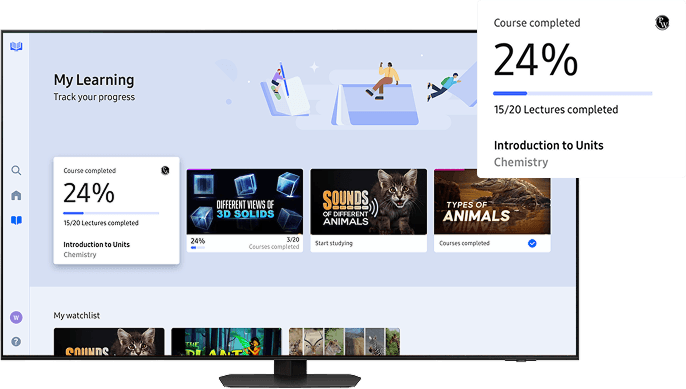
PROGRESS TRACKING
The user can keep track of the overall progress on the main Dashboard and access courses and lectures in progress from the ‘My learning’ section
ACCESS TO PREMIUM CONTENT BY QUALIFIED TUTORS
Premium content, including lectures, notes and practice tests are available at an affordable price for learners who want to take their progress to the next level.
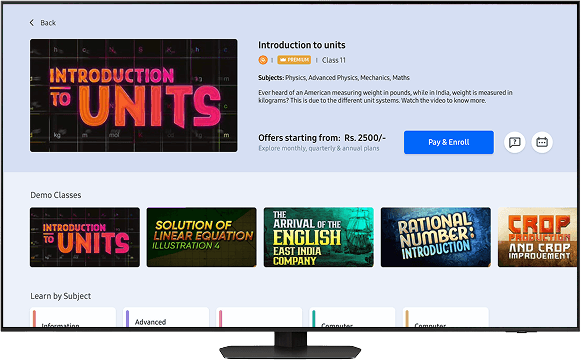

SET REMINDERS FOR SCHEDULED CLASSES
In order to avoid missing live lectures, the user can set reminders to stay updated.
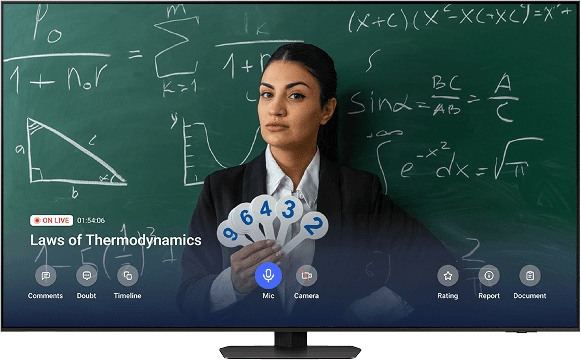
LIVE CLASSES AND DOUBT SOLVING
Users can view classes on a larger screen and interact with the tutor in real time, comment, raise doubts etc. A larger screen ensures longer periods of engagement without eye strain.
3,13,990
PEAK TOTOL USER
From 76,197 in 2024
15k+
USER GROWTH
Over two years
₹20,19,185
PEAK PAYMENT VALUE
generated in 2025
2500+
SUBSCRIPTION SOLD
at peak in 2025